
Award nights and pageant finals are two events in one. First comes the public vote, often running for weeks. Then comes the show itself, with tickets, a guest list, and a gate. Most organizers run these on two separate systems and spend the final week trying to make the numbers match.
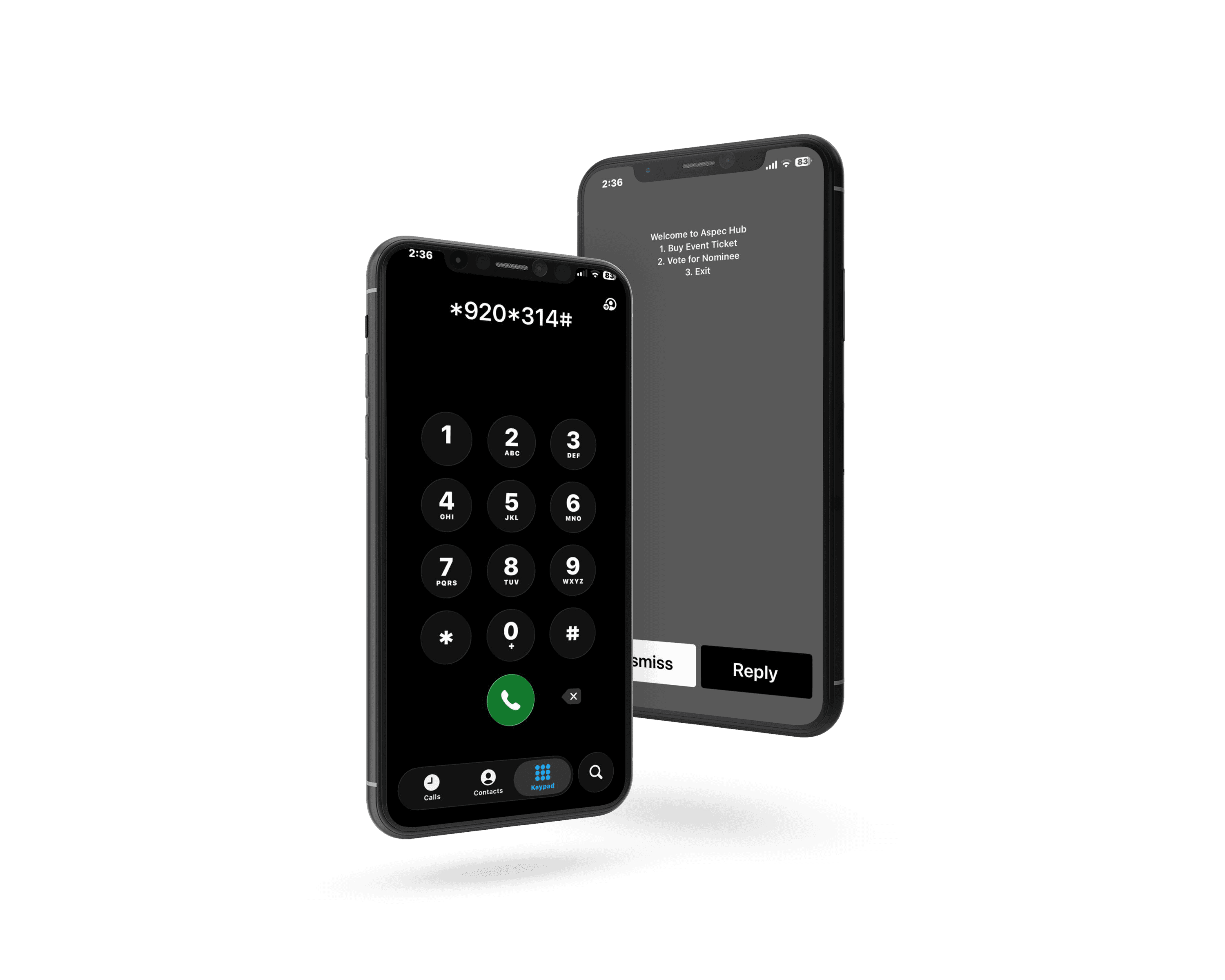
You can run both on one online voting and event ticketing platform in Ghana instead. On Aspec Hub, the voting contest and the ticketed event sit in the same organizer dashboard, with USSD voting and Mobile Money built in and one payout account for all of it (Aspec Hub).
This guide walks through one event from nominations to the last guest at the door, phase by phase.
TL;DR
- Running voting and ticketing on two tools means two logins, two payout accounts, and two sets of numbers. One platform keeps one dashboard and one payout account.
- On Aspec Hub, you create the voting contest under Vote Forms and the show under Event Ticketing, in the same account.
- Voters and buyers pay with Mobile Money, card, or USSD, so fans without data and fans abroad can both take part.
- Your voters are your best ticket buyers. Selling to them from the same platform is the easiest marketing you will do.
- Aspec Hub charges no setup fee and takes 5% on paid sales only. Withdrawals usually arrive in 10 to 20 minutes.
Why Two Platforms for One Event Cost You
The usual setup is a voting tool in one browser tab and a ticketing tool in another. Aspec Hub describes the result plainly: "two logins, two payout accounts, and two sets of numbers that never quite agree" (Aspec Hub).
That split hurts in four places:
- Your audience is split. The people who voted for a nominee are the people most likely to buy a ticket to see them win. On two systems, you cannot easily reach one group from the other.
- Your money is split. Two payout accounts mean two balances, two withdrawal schedules, and two sets of fees to track.
- Your reports are split. Sponsors and committees ask for one number. You end up merging spreadsheets.
- Your support is split. When a voter or buyer has a problem on show night, you need to know which vendor to call.
| Task | Two separate tools | One platform |
|---|---|---|
| Logins | Two | One |
| Payout accounts | Two | One |
| Audience | Voters and buyers in different systems | One audience across both |
| Reporting | Merge two exports | One dashboard |
| Support | Two vendors | One team |
The One-Event Timeline: From Nominations to Results Night
Here is how a single awards night or pageant runs on Aspec Hub. The steps follow Aspec Hub's organizer documentation.
Phase 1: Set Up Your Account Once
Create your organizer account with email or Google, verify your email, and fill in your organization profile: basic details, contact phone number, cover image, and logo (Aspec Hub documentation).
Next, verify your phone number with a one-time code. You must do this before you can create events or voting contests (Aspec Hub documentation).
Then add one payout account, either Mobile Money or a bank account. It serves both your votes and your tickets (Aspec Hub documentation).
Phase 2: Create the Voting Contest
Open the Vote Forms tab and click New Forms. Add a title, description, and image, then add your categories. Each category must be unique. Set when voting starts and ends, and set a base amount per vote. Each category can have its own amount, and you can change it later (Aspec Hub documentation).
When you publish, the contest is marked Pending while the Aspec Hub team reviews it. You get an email when it is approved, so build that review time into your plan. If you are unsure what to charge, read how to price your votes before you publish.
Phase 3: Create the Show as a Ticketed Event
Open the Event Ticketing tab and click New Events. Add the event details, venue name and location, ticket sales start and end times, a category, tags, and your ticket scanning style, either QR code or barcode. The event also goes to Pending for review (Aspec Hub documentation).
You can create several ticket tiers for the show, such as Early Bird, Regular, VIP, Student, Table Package, or Group. Each tier can have its own price, quantity limit, and sales window (Aspec Hub FAQ).
Phase 4: Open Voting on Every Channel
Once approved, share your voting link. Aspec Hub supports online voting, USSD voting, and Telegram voting. On USSD, voters enter a nominee code and complete payment through supported channels, with no internet needed (Aspec Hub).
Voters can pay with Mobile Money, a debit or credit card, or USSD. Card payments also let fans outside Ghana vote (Aspec Hub FAQ). If your contest will run on USSD, read how to get a USSD code for awards voting and the checklist that goes with it.
Phase 5: Sell Tickets to the People Who Voted
This is where one platform pays for itself. The fans who voted all season are already engaged. Open ticket sales while voting is still live, and point voters to the show:
- Put the ticket link on every nominee's voting page and flyer.
- Release an Early Bird tier for the final week of voting.
- Create a nominee or guest tier for finalists and their families.
- Remind voters that the winners are revealed only at the show.
Phase 6: Check Guests In on the Night
Your team scans tickets with the free Aspec Hub scanner app on Android or iOS. It validates tickets in real time, keeps working offline, and flags a code the second it is used twice (Aspec Hub).
The gate is where awards nights often fall apart. In one Aspec Hub case study, a 4,000-guest awards ceremony in Accra cleared its door in 11 minutes, down from about 90 minutes, using four scanners on staff phones and no extra staff (Aspec Hub case study). For more on gate setup, see our guide to QR code ticket scanning.
Phase 7: Close Voting, Announce Results, and Get Paid
Voting closes at the end time you set, and results update live. After the show, withdraw from the same payout account. Withdrawals cost GHS 1 to Mobile Money or GHS 8 to a bank account, must be between GHS 20 and GHS 10,000 each, and usually arrive in 10 to 20 minutes, though some take up to 12 hours (Aspec Hub documentation).
Why USSD and Mobile Money Matter for Both
Ghana is online, but not all of it. About 26.3 million people, or 74.6% of the population, were internet users at the end of 2025 (DataReportal, 2026). That leaves roughly one in four people offline. Many of them still have a phone, and USSD works on any phone without data.
Mobile money is how Ghana pays. Transactions reached GH¢518.8 billion in August 2026, about 46.5% more than a year earlier, across 85.8 million registered accounts (Bank of Ghana, September 2026).
For a campus pageant or a regional awards show, those two facts decide your turnout. A voter in a hostel with no data can still vote by USSD. A ticket buyer can pay by Mobile Money in seconds. Aspec Hub's university case study describes this setup: per-vote pricing paid through Mobile Money, USSD voting for students without smartphones or data, and award-night tickets on the same platform (Aspec Hub case study).
What It Costs
Aspec Hub publishes its pricing:
| Item | Cost |
|---|---|
| Creating an event or contest | Free, no setup fee |
| Monthly subscription | None |
| Paid sales | 5% commission |
| Free events and free tiers | Free |
| Withdrawal to Mobile Money | GHS 1 |
| Withdrawal to a bank account | GHS 8 |
Sources: Aspec Hub for organizers and Aspec Hub documentation.
Mistakes to Avoid When You Run Both
- Opening ticket sales after voting ends. Your voters lose interest the day results are announced. Sell while the race is live.
- Forgetting the review step. Contests and events are reviewed before they go live. Submit early.
- Pricing votes and tickets in isolation. A fan who spends heavily on votes may skip a pricey ticket. Plan both prices together.
- Leaving USSD off. You lose voters who have no data on voting day.
- Skipping a test. Cast a test vote and buy a test ticket on each payment method before you announce.
- Ignoring vote integrity. Read how to run a fraud-proof online voting contest before voting opens.
FAQ
Can I run online voting and ticket sales for the same event on Aspec Hub?
Yes. You create a voting contest under the Vote Forms tab and an event under the Event Ticketing tab of the same organizer dashboard. Both use the same account and the same payout account.
Can people without internet vote or buy tickets?
Yes. Aspec Hub supports USSD voting, where voters enter a nominee code and pay through supported payment channels, and USSD ticketing for events that include USSD service. The Aspec Hub USSD code works on all mobile networks.
How do voters and ticket buyers pay?
Voters and buyers can pay with Mobile Money, a debit or credit card, or USSD. Card payments also let fans outside Ghana take part.
How much does it cost to run voting and ticketing on Aspec Hub?
There is no setup fee and no monthly subscription. Aspec Hub takes 5% on paid sales only, and free events stay free. Withdrawals cost GHS 1 to Mobile Money or GHS 8 to a bank account.
How fast can I withdraw my earnings?
Withdrawals usually reach your Mobile Money wallet or bank account in 10 to 20 minutes, and some can take up to 12 hours. Each withdrawal must be between GHS 20 and GHS 10,000.
Do I need special equipment to check guests in?
No. Your team scans QR or barcode tickets with the free Aspec Hub scanner app on Android or iOS. It validates tickets in real time, keeps working offline, and flags a ticket that has already been used.
Next Steps
If your next awards night or pageant has a public vote and a ticketed show, plan them as one event from day one. Set up your account, create the contest and the show in the same dashboard, and sell tickets to your voters while the race is still close.
Ready to run both from one place? Start with Aspec Hub for organizers. If you are new to ticketing, our checklist on how to set up event ticketing covers every step.
Suggested Internal Links
- Aspec Hub for organizers: voting, ticketing, and gate scanning in one dashboard.
- How to get a USSD code for awards voting: the launch checklist: getting USSD voting ready on time.
- How to set up event ticketing in Ghana: the step-by-step ticketing checklist.
- Award show vote pricing framework: setting vote prices and bundles.
- How to run a fraud-proof online voting contest: keeping results clean.
- QR code ticket scanning without extra equipment: faster check-in at the gate.
Suggested Source Links
- Aspec Hub organizer documentation: account, payout, event, and voting contest setup.
- Aspec Hub FAQ: payment methods, ticket tiers, and scanning.
- Bank of Ghana — Summary of Economic and Financial Data, September 2026: mobile money figures.
- DataReportal — Digital 2026: Ghana: internet use in Ghana.
- Aspec Hub case study — 4,000-guest awards night: gate check-in results.