
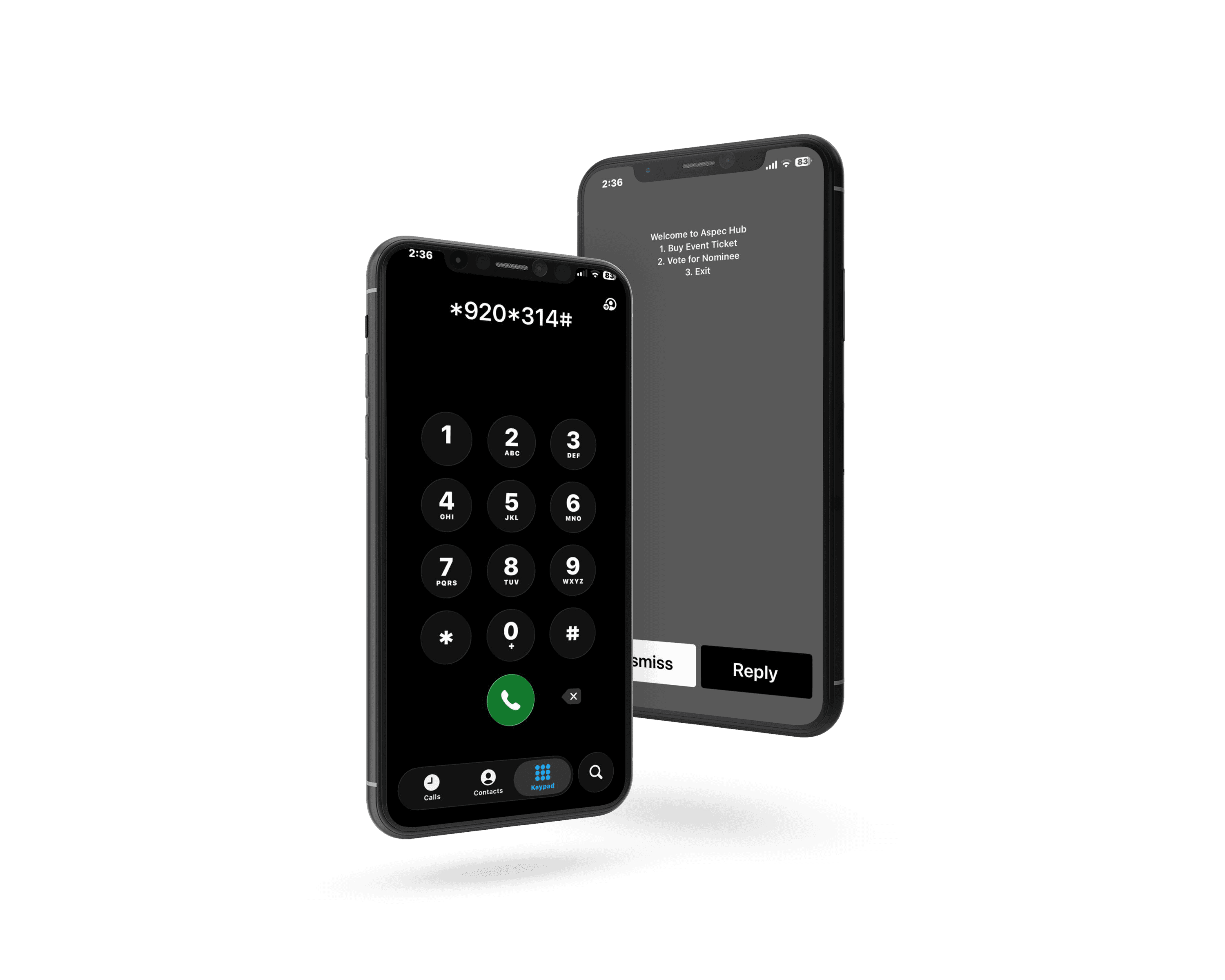
There are two ways to get a USSD code for awards voting in Ghana. You can apply to the National Communications Authority (NCA) for your own short code, or you can run your contest on a voting platform that already has one. The first route gives you your own code but adds paperwork and a lease of at least six months. The second gets you live as soon as your contest is approved.
Either way, the code is only one part of the launch. This USSD code for awards voting checklist covers everything else, in the order you need it: the route decision, the paperwork, the contest build, testing, promotion, and results day.
For the full application process, read our full guide to getting a USSD code. This post is the checklist that sits next to it.
TL;DR
- Decide your route first: your own NCA short code, or a voting platform that already has a USSD code.
- A dedicated code needs NCA Form AP19, a business plan, company registration documents, and a non-refundable fee. The lease is six or twelve months.
- Build the contest before launch day: categories, nominee codes, vote prices, and voting times.
- Test every nominee code and every payment path on each mobile network before you announce.
- Promote the code like a product. Every nominee flyer should show the code and the steps.
Why USSD Still Matters for Awards Voting
About 74.6% of people in Ghana were online at the end of 2025 (DataReportal, 2026). That leaves roughly one in four people offline. Yet Ghana had about 41.8 million active cellular connections, or 119% of the population, in the same report. Many people without internet still have a phone.
USSD reaches that phone. A voter dials a code, follows a short menu, and pays, with no data and no app. For campus awards, regional pageants, and community contests, those voters can decide a close category. See how USSD, app, and web voting compare for rural reach.
Step 1: Pick Your Route
Make this decision before anything else, because it changes every step after it.
| Your own NCA short code | A platform's USSD code | |
|---|---|---|
| Who applies | You, to the NCA | The platform already holds the code |
| Paperwork | Form AP19, business plan, company documents, fee | Organizer account and contest setup |
| Minimum term | Six-month lease | Your contest dates |
| Code you get | Your preferred code, if the NCA allocates it | The platform's code plus your nominee codes |
| Menu and billing | You arrange with a network or service provider | Built in |
| Best for | Year-round programmes and large brands | Single awards seasons and first-time organizers |
For most awards shows, the platform route is the practical one. To understand what each route costs, see what a USSD voting code costs.
Step 2: Prepare the NCA Paperwork (Dedicated Route Only)
If you want your own short code, you apply on NCA Form AP19, Application for Special Numbering Resource (National Communications Authority). The form's own checklist asks for:
- A completed application form
- A cover letter
- A business plan
- A non-refundable application fee, with the payment receipt attached
- Company registration documents, including your business registration certificate number
- Any other supporting documents
The form also asks you to decide these details up front:
- Code type and length. Tick short code, and USSD as the service. Short codes run from 3 to 6 digits.
- Your preferred code plus two alternatives. The NCA states it is not bound to allocate your preferred code and may give you a different one. Do not print posters until the code is confirmed.
- Lease period. The choices are six months or twelve months.
- Network or service providers. The form asks you to name the network providers or value-added service providers you will work with.
- Programme details. A programme name, start and end dates, and a description of the service.
- Billing type. Premium, standard, shared, or toll-free billing.
The NCA can also withdraw a code if you use it for a different service from the one on your form. Describe your awards voting service accurately.
Step 3: Build the Contest
This step applies on both routes. On Aspec Hub, you build the contest in the organizer dashboard:
- Create and verify your organizer account, then verify your phone number with a one-time code. You cannot create a contest until your phone number is verified (Aspec Hub documentation).
- Open Vote Forms, click New Forms, and add the contest title, description, and image.
- Add your categories. Each one must be unique.
- Set the voting start and end times.
- Set a base amount per vote. Each category can have its own amount (Aspec Hub documentation).
- Publish. The contest is marked Pending until the Aspec Hub team approves it, and you get an email either way.
Assign nominee codes and keep them short. On USSD, voters type the nominee code instead of scrolling a list (Aspec Hub). Before you set the amount, read how to price your votes.
Step 4: Write a Menu People Can Finish
USSD screens are small, and a session that takes too long can end before the vote does. Keep the flow short:
- Ask for the nominee code first. Do not make voters scroll through every nominee.
- Show the nominee's name back. Voters should confirm they picked the right person.
- Show the price before payment. No surprises at the last screen.
- Use plain words. "Enter nominee code" beats "Input candidate identifier."
- End with a clear confirmation. Tell the voter the vote was recorded.
Step 5: Test on Every Network
Never announce a code you have not tested. Run each check on every mobile network your voters use:
- Every nominee code returns the right name
- Every category shows the right price per vote
- A full payment completes and the vote appears once on the results
- A failed or cancelled payment does not count as a vote
- A voter who times out can start again cleanly
- Your support line knows what to tell a voter whose payment failed
Step 6: Promote the Code Like a Product
A USSD code nobody knows is worthless. Make it impossible to miss:
- Nominee flyers. Each nominee gets a flyer with their photo, their nominee code, and the dialing steps.
- A one-line how-to. "Dial the code, enter the nominee code, choose your votes, pay." Repeat it everywhere.
- Radio and campus announcements. Read the code and the nominee code slowly, twice.
- Status and story templates. Give nominees a ready-made image to post on their social accounts.
- Online voting too. Share the web voting link for voters who have data and prefer it.
Step 7: Voting Day to Results
Watch the live results and your payment confirmations through the day. Close voting at the end time you set, and publish results the way your rules promised. If you are also selling tickets for the show, learn how to run the vote and sell the tickets for the same event.
After the contest, withdraw your earnings from the Payouts tab. Aspec Hub withdrawals usually arrive in 10 to 20 minutes, though some take up to 12 hours (Aspec Hub documentation).
Your Launch Timeline at a Glance
Use this order. How long each stage takes depends on your route, so leave the most room for the stages you do not control: the NCA allocation on the dedicated route, and contest approval on the platform route.
| When | What to finish | Route |
|---|---|---|
| First | Decide your route and set your voting dates | Both |
| Before you apply | Company documents, business plan, cover letter, fee | Dedicated |
| After allocation | Arrange menu and billing with your network or service provider | Dedicated |
| Before voting opens | Contest built, nominee codes assigned, contest approved | Both |
| Before you announce | Every code and payment path tested on each network | Both |
| Launch week | Nominee flyers, how-to line, and announcements out | Both |
| Voting day | Monitor results and payments; support line ready | Both |
| After close | Publish results and withdraw earnings | Both |
FAQ
Who issues USSD short codes in Ghana?
The National Communications Authority (NCA) allocates short codes as special numbering resources. Applicants use NCA Form AP19, which covers SMS and USSD short codes of 3 to 6 digits.
What documents do I need for an NCA short code application?
The Form AP19 checklist asks for a completed application form, a cover letter, a business plan, a non-refundable application fee, company registration documents, and any other supporting documents.
Can I get a dedicated USSD code for just one awards season?
The shortest lease period on Form AP19 is six months, with twelve months as the other option. For a single awards season, using a voting platform that already has a USSD code is usually simpler.
Will I get the exact short code I ask for?
Not always. Form AP19 asks for a preferred code and two alternatives, and the NCA states it is not bound to allocate the preferred code and may allocate a different one.
Do voters need internet to vote by USSD?
No. USSD works on basic phones without data. On Aspec Hub, voters enter a nominee code, follow a short menu, and pay through supported payment channels.
What should I test before USSD voting opens?
Test every nominee code, every vote price, and a full payment on each mobile network. Confirm that each test vote appears once on the results and that a failed payment does not count.
Next Steps
If your awards show runs once a year, skip the lease and the paperwork. Build your contest on a platform that already has a USSD code, then spend your time on testing and promotion, the two steps that decide turnout.
Ready to launch USSD voting? Set up your contest with Aspec Hub for organizers, with web voting, USSD voting, and Mobile Money in one dashboard.
Suggested Internal Links
- How to get a USSD code for awards voting in Ghana: the full application process.
- What a USSD voting code costs in Ghana: budgeting for each route.
- Online voting and event ticketing for the same event: running the vote and the show together.
- USSD vs. app vs. web voting: which channel wins more votes.
- Award show vote pricing framework: setting vote prices and bundles.
- Aspec Hub for organizers: voting and ticketing in one dashboard.
Suggested Source Links
- National Communications Authority — Form AP19, Application for Special Numbering Resource: the short code application checklist.
- DataReportal — Digital 2026: Ghana: internet use and mobile connections.
- Aspec Hub — How to Create a Voting Contest: contest setup steps.
- Aspec Hub — Phone Number Verification: verification before you create a contest.